Precision control for serious computer work
Need More from Your Mouse Than Point, Click and Scroll?
If you spend hours moving between applications, spreadsheets, creative software, browsers and multiple computers, a basic mouse can quickly become one of the limitations in your workflow.
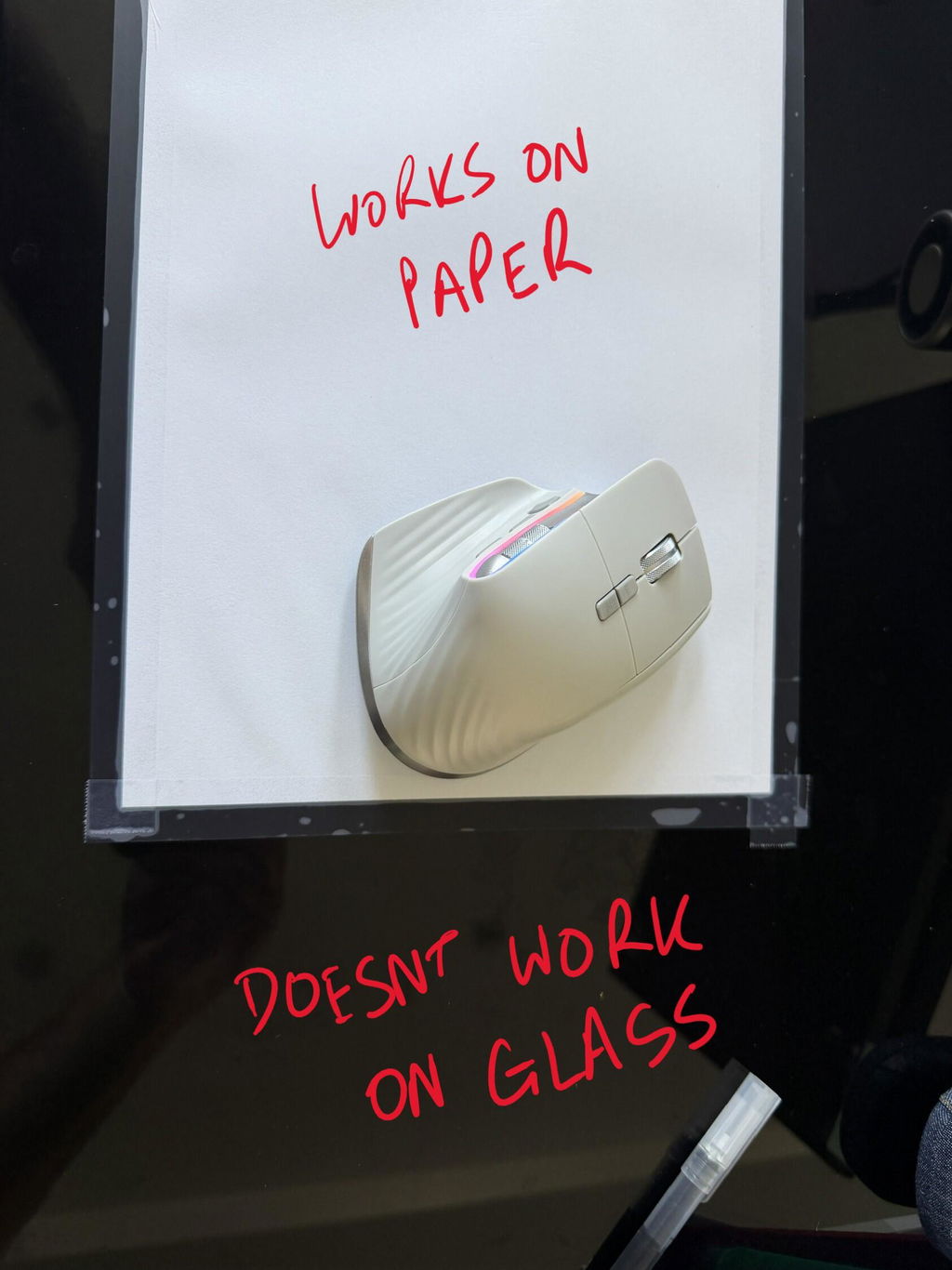
The XM Precision Mouse combines an ergonomic right-handed shape with dual scroll wheels, adjustable DPI, multi-device connectivity and dedicated shortcut controls.
Designed for medium to large right hands, it gives power users more ways to navigate while maintaining a comfortable shape for prolonged computer work.
One mouse. Three devices. More ways to navigate.
Connect to two devices via Bluetooth 5.0 plus a third via the wireless USB receiver, then use dual scrolling and shortcut controls to move through demanding workflows with fewer unnecessary actions.
Comfortable Enough for Long Sessions, Functional Enough for Power Users
XM Precision customers consistently highlight the combination of comfort and functionality.
Customer feedback specifically mentions a comfortable fit, conveniently positioned buttons, quiet clicking and the ability to work across several computers from one mouse.
✓
Comfortable Contoured Fit
Shaped for medium to large right hands, with customers specifically commenting positively on how the mouse fits during prolonged use.
3
Three-Device Connectivity
Pair with two Bluetooth devices and connect a third using the 2.4GHz wireless USB receiver.
↔
Dual Scroll Control
Use the conventional wheel for vertical scrolling and the thumb wheel for horizontal navigation through wide documents and timelines.
✓
Quiet Clicking
Customer feedback highlights the quieter click feel, making it well suited to shared offices and focused work environments.
Built for Workflows That Go Beyond Basic Office Tasks
Creative Work
Multi-Computer Setups
Large Spreadsheets
Long-Hour Computer Work
It is particularly useful for users who regularly work with wide timelines, large spreadsheets, design programs, editing software or several computers at the same workstation.
One Mouse Across Up to Three Computers
Multi-device connectivity is one of the strongest practical reasons to choose the XM Precision.
Pair the mouse with two Bluetooth-compatible devices, then use the supplied wireless USB receiver to connect another.
This is particularly useful for workstations with a work laptop and personal computer, multiple office systems or specialist setups such as audio, design or production studios.
Scroll Up, Down and Sideways Without Fighting the Screen
Most mice are designed primarily around vertical webpages and documents. Modern professional software is often wider than that.
The XM Precision includes two separate scroll controls.
↕
Main Scroll Wheel
Navigate vertically through webpages, documents, menus and other standard interfaces.
↔
Thumb Scroll Wheel
Navigate horizontally through compatible applications, wide sheets, timelines and other side-to-side interfaces.
Change Cursor Sensitivity to Match the Task
The amount of cursor movement you want can change depending on what you're doing.
A higher sensitivity can help you move quickly across large or multiple displays. A lower setting can provide greater control when positioning the cursor more carefully.
The XM Precision gives you direct access to adjustable DPI control, allowing you to change sensitivity without replacing your mouse or altering your entire workflow.
i
Use the DPI that feels controlled. Higher sensitivity isn't automatically better. Choose a setting that lets you reach the areas of your screen comfortably without sacrificing accuracy.
Useful Controls Where Your Fingers Can Reach Them
XM Precision includes additional controls designed to reduce repetitive movement back to menus, taskbars and browser controls.
- Left and right click
- Vertical scroll wheel
- Horizontal thumb scroll wheel
- Forward navigation
- Back navigation
- DPI adjustment
- Application switching controls
- Window-management shortcuts
More Functionality Shouldn't Mean a Less Comfortable Mouse
The XM Precision is shaped for medium to large right hands, giving the palm a substantial surface to rest against during prolonged computer work.
i
Managing persistent wrist or hand pain? An ergonomic mouse can change your working position, but it isn't a medical treatment. Persistent symptoms should be discussed with an appropriate treating health professional.
Rechargeable with USB-C
XM Precision uses an integrated rechargeable battery, removing the need to keep disposable batteries at your workstation.
Recharge using USB Type-C when required, then return to wireless operation.
For users moving between several computers, the rechargeable design keeps the setup simple without adding separate battery requirements.
Built-In Lighting Adds a Little Personality
The XM Precision includes built-in lighting effects around the mouse body.
They don't change the ergonomic performance of the mouse, but they give the XM Precision a more contemporary look than many traditional workplace mice.
Set It Up Around the Way You Work
1
Connect Your Devices
Pair up to two compatible devices through Bluetooth and use the USB receiver for a third device if required.
2
Choose Your DPI
Test the sensitivity settings and choose the level that gives you a comfortable balance between cursor speed and control.
3
Learn the Extra Controls
Start using the horizontal wheel, navigation buttons and quick actions where they genuinely save time in your workflow.
Who Is the XM Precision Best Suited To?
- Right-handed users
- Medium to large hands
- Creative professionals
- Developers and technical users
- Audio and video production workflows
- Large spreadsheet users
- Multi-computer workstations
- Users wanting additional mouse controls
Product Details
Mouse Style
Ergonomic multi-function wireless mouse
Hand Orientation
Right-handed
Hand Size
Medium to large
Bluetooth
Bluetooth 5.0, up to two paired devices
USB Wireless
2.4GHz wireless USB receiver
Connected Devices
Up to three devices
Scrolling
Vertical main wheel plus horizontal thumb wheel
Cursor Sensitivity
Adjustable DPI
Navigation
Forward and back controls
Additional Controls
Application, window and DPI quick-action controls
Battery
Integrated rechargeable battery
Lighting
Built-in lighting effects
Choose XM Precision When Workflow Features Matter as Much as Ergonomics
Some ergonomic mice focus almost entirely on changing hand position. The XM Precision is better suited to someone who also wants more control over how they navigate their computer.
Consider XM Precision if features such as horizontal scrolling, multi-device connectivity, DPI adjustment and extra navigation controls would genuinely improve your daily workflow.
If your priority is a more pronounced vertical hand position or a specific small, medium or left-handed fit, another ergonomic mouse in our range may be more appropriate.
Not Sure Which Ergonomic Mouse Is Right for You?
Use the Ask a Question option on this page and tell us your hand size, which hand you mouse with, what type of work you do and any discomfort you're experiencing.
Our team can help you compare the XM Precision with the other ergonomic mice in our range.
✓
1-Year Warranty
The XM Precision Mouse is covered by a one-year warranty. If a fault develops during the warranty period, we'll work with you to arrange repair or replacement in accordance with our warranty terms.
More Control for the Work You Do All Day
If you have a medium to large right hand and your work involves multiple computers, wide documents, creative software or constant navigation, the XM Precision gives you a comfortable mouse with more ways to move through your workflow efficiently.