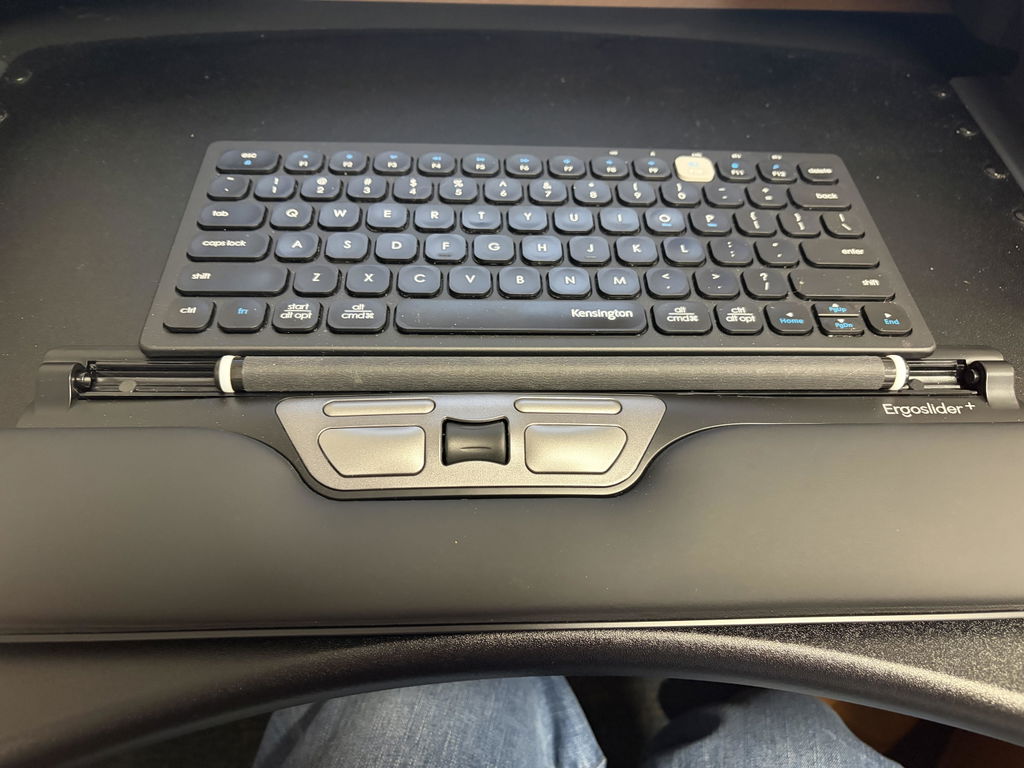
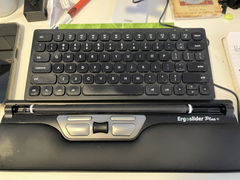
28.8cm compact keyboard designed to reduce mouse reach
Is Your Full-Size Keyboard Pushing Your Mouse Too Far Away?
On a traditional full-size keyboard, the numeric keypad sits between your
main typing area and your mouse. That extra width can force a right-handed
mouse user to repeatedly reach further out to the side.
The Compact Mini Ergonomic Keyboard removes that wide
numeric keypad section and reduces the keyboard to just
28.8cm wide, allowing your mouse to sit substantially
closer to the main typing area.
Add low-profile, light-touch keys and wireless USB connectivity, and you
have a straightforward compact keyboard designed for people who spend their
day moving between typing and mousing.
A smaller keyboard means your mouse can sit closer to you.
At only 28.8cm wide, the Compact Mini removes the dedicated numeric keypad
area that makes many traditional keyboards unnecessarily wide for users
who rarely need a number pad.
Designed Around One Simple Ergonomic Principle: Reduce the Reach
28.8
Compact 28.8cm Width
Removes the large dedicated number-pad section so your keyboard and
mouse can occupy a smaller working area.
↔
Keep Your Mouse Closer
Particularly useful for right-handed mouse users who otherwise reach
around the numeric keypad every time they move from typing to mousing.
LOW
Low-Profile Keys
A slim 2.1cm overall keyboard height helps keep the typing surface low
rather than requiring your hands to reach up towards tall keys.
USB
Wireless USB Connection
Connect to a compatible computer using the wireless USB receiver
without adding another cable across your desk.
Why Does Keyboard Width Matter?
Most people centre the main letter keys in front of their body.
On a full-size keyboard, that leaves the numeric keypad extending a
significant distance to the right before the mouse can even begin.
Every time you switch from keyboard to mouse, your arm has to travel
around that unused section of keyboard.
A compact keyboard removes much of that distance and allows the mouse to
sit closer to your shoulder line and main working area.
About 14cm Narrower Than a Typical Full-Size Keyboard
A traditional desktop keyboard is commonly around
43–44cm wide.
The Compact Mini measures just 28.8cm wide.
That is a significant amount of horizontal desk space removed from between
your main typing area and mouse.
i
This benefit matters most if you use your mouse frequently.
If most of your day is spent entering numbers into a dedicated numeric
keypad, a different keyboard configuration may suit your workflow better.
Particularly Useful for Keyboard-and-Mouse Work
Office Work
Administration
Home Offices
Mouse-Heavy Work
It is particularly relevant if you alternate constantly between typing,
clicking, scrolling and navigating throughout the day.
Low-Profile Keys Keep the Typing Surface Close to the Desk
Keyboard height affects the position of your hands as well as keyboard width.
The Compact Mini is approximately 2.1cm high and uses
low-profile, light-touch keys.
This gives the keyboard a relatively slim typing profile rather than the
taller key height found on some traditional or mechanical keyboards.
i
Keep the keyboard close to you.
A compact keyboard cannot reduce reaching if it is positioned too far
forward on the desk. Bring it towards you so your elbows can remain
comfortably beside your body.
Light-Touch Keys for Everyday Typing
The keys are designed to be low-profile and light to press, creating a
familiar everyday typing feel in a much smaller keyboard footprint.
The keyboard includes 78 keys, retaining the main
alphanumeric typing area and function keys while removing less frequently
used dedicated sections to achieve its compact size.
Important before you buy
Compact Size Means Some Dedicated Keys Are Removed
The wireless Compact Mini does not have dedicated
Insert, Home, End, Page Up, Page Down or Print Screen keys.
This is one of the ways the keyboard achieves its significantly smaller
28.8cm footprint.
If those navigation and system keys are a major part of your daily
workflow, consider whether a different keyboard layout would be more practical.
What About Number Entry?
The Compact Mini retains the standard number row across the top of the
keyboard, so everyday number entry remains available.
What it removes is the large dedicated numeric keypad normally
found on the right side of a full-size keyboard.
If you only occasionally enter numbers, this may be an easy trade-off for
the reduced keyboard width.
If you regularly work through large volumes of numerical data, pair a
compact keyboard with a separate numeric keypad that can be positioned only
when and where you need it.
Need a Number Pad Sometimes, but Not All Day?
You do not necessarily need to choose between a compact keyboard and numeric entry.
Pair the Compact Mini with a separate numeric keypad and you can keep your
everyday keyboard-and-mouse position compact, then bring the keypad into
your workspace when a task requires it.
A separate keypad can also be positioned on either side of the keyboard,
depending on your workflow.
Set It Up So the Mouse Benefit Isn't Wasted
1
Centre the Typing Area
Position the main letter keys in front of your body rather than placing
the entire workstation off to one side.
2
Bring the Mouse In
Use the space saved by the compact keyboard to place your mouse directly
beside it rather than further out across the desk.
3
Bring Everything Closer
Position both devices within easy reach so your upper arms can remain
relaxed while you work.
Wireless USB for a Simple Desktop Setup
The current wireless model connects using a USB receiver, giving you a
cordless keyboard without requiring your computer to have Bluetooth.
Insert the receiver into a compatible USB port, install the required
batteries and use the keyboard within your normal workstation setup.
Check your computer ports
The Wireless Version Uses a USB Receiver
Make sure your computer has a compatible USB port available for the
wireless receiver.
If your laptop only has USB-C ports, you may require a suitable adapter
or hub.
Powered by Two AAA Batteries
The wireless Compact Mini uses 2 × AAA batteries.
Batteries are not included, so have a pair available when setting up the
keyboard for the first time.
Suitable for Mac and Windows Workstations
The keyboard is designed for use across compatible Windows and Mac computer
environments, making it suitable for a wide range of office and home workstations.
As with many cross-platform keyboards, some key labels or shortcut functions
may differ depending on the operating system and software being used.
Compact Keyboard or Full-Size Keyboard?
MINI
Choose the Compact Mini If...
You use your mouse frequently, rarely need a dedicated numeric keypad
and want to minimise the distance between typing and mousing.
FULL
Consider Full Size If...
You rely heavily on a dedicated numeric keypad or regularly use the
navigation and system keys removed from the Compact Mini layout.
Compact Mini or Ergo Keyboard Combo?
Both are designed to reduce everyday keyboard width, but they suit slightly
different workflows.
MINI
Compact Mini
Best when you want the smallest straightforward keyboard setup and do
not regularly need a dedicated numeric keypad.
COMBO
Ergo Keyboard Combo
Better suited if you want a compact main keyboard but still require a
separate dedicated numeric keypad for regular numerical work.
A Compact Keyboard Changes Reach, Not Your Entire Workstation
Reducing keyboard width can make it easier to keep the mouse close, but
keyboard choice is only one part of your workstation.
Chair height, desk height, mouse choice, keyboard distance, screen position
and the amount of time spent working all influence comfort.
If you are already experiencing significant or persistent hand, wrist,
arm, shoulder or neck symptoms, consider discussing your workstation with
a physiotherapist, occupational therapist or other appropriate health professional.
Product Details
Product Type
Compact wireless ergonomic keyboard
Key Profile
Low-profile, light-touch keys
Dedicated Numeric Keypad
No
Dedicated Navigation Keys
No dedicated Insert, Home, End, Page Up, Page Down or Print Screen keys
on the wireless version
Connection
Wireless USB receiver
Batteries
2 × AAA batteries, not included
Compatibility
Compatible Mac and Windows computer environments
Best For
Users wanting to reduce keyboard width and keep the mouse closer to the body
Is the Compact Mini Ergonomic Keyboard Right for You?
✓
A Strong Choice If...
You use your mouse throughout the day, want it positioned closer to the
keyboard and rarely rely on a dedicated numeric keypad or separate
navigation keys.
!
Consider Another Keyboard If...
You regularly enter large volumes of numbers, depend heavily on Home,
End, Page Up, Page Down or Print Screen, or specifically want a split
keyboard layout.
Not Sure Which Compact Keyboard Is Right for Your Work?
Use the Ask a Question option on this page and tell us what
you do during a typical workday, how often you use your mouse, whether you
need a numeric keypad and which keyboard shortcuts you rely on regularly.
Our team can help you compare the Compact Mini with the Ergo Keyboard Combo,
split keyboards and other compact options in our range.
✓
1-Year Warranty
The Compact Mini Ergonomic Keyboard is covered by a
one-year warranty. If a fault develops during the
warranty period, we'll work with you to arrange repair or replacement
in accordance with our warranty terms.
Remove the Keyboard Width You Don't Use and Bring Your Mouse Closer
If a full-size keyboard is forcing your mouse further out to the side,
the 28.8cm Compact Mini gives you a smaller, low-profile typing setup built
around one practical goal: keeping your everyday keyboard and mouse work
closer together.