Central mouse control — directly in front of you
What If You Didn't Have to Reach Sideways for Your Mouse?
A traditional mouse usually sits beside your keyboard, which means every time you move from typing to mousing, your arm has to travel out to the side.
If you repeat that movement hundreds of times across a working day, the combination of reaching, gripping and one-sided mouse use can contribute to fatigue and discomfort through the shoulder, arm, wrist and hand.
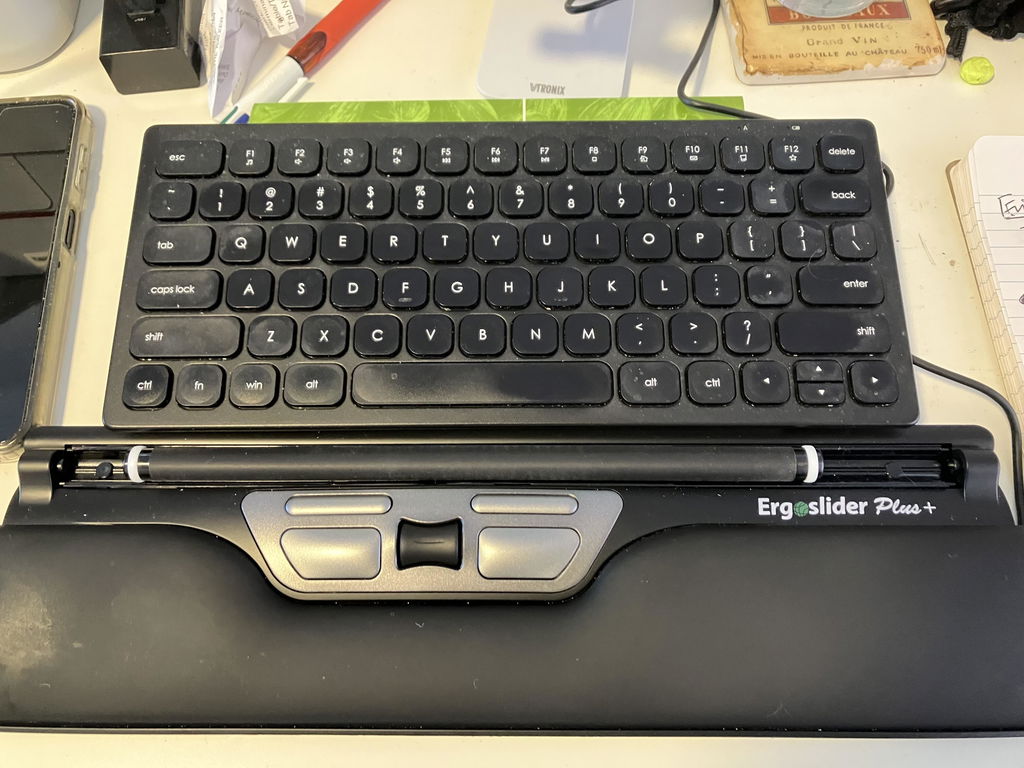
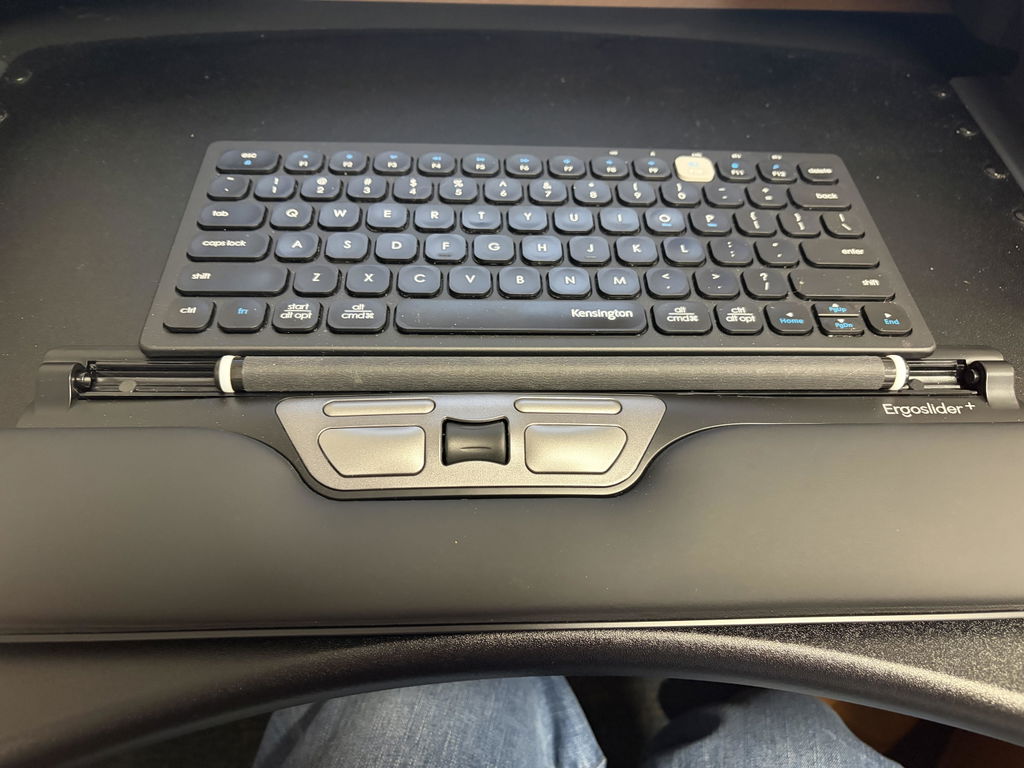
The ErgoSlide Plus+ Mouse takes a completely different approach. It sits centrally in front of you, directly beneath your keyboard, so cursor control stays within easy reach of both hands.
Keep your mouse in front of you — not out to the side.
Instead of repeatedly reaching for and gripping a conventional mouse, use your fingers to move the central roller bar while your arms remain closer to your body.
Particularly Useful When a Traditional Mouse Has Become Uncomfortable
The ErgoSlide Plus+ is especially well suited to people who perform repetitive computer work and find conventional side-positioned mouse use uncomfortable.
Customers have specifically used it as an alternative after developing shoulder discomfort from traditional mouse use, while others value being able to move away from years of dominant-hand mousing.
Shoulder Discomfort
Repetitive Mouse Work
Left or Right Hand Use
Central Workstations
Why Put the Mouse in the Centre?
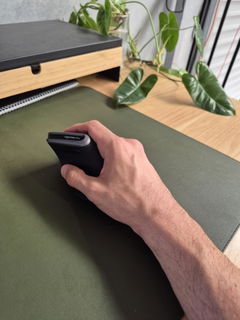
With a conventional mouse, most people consistently reach one arm away from the keyboard to the same side of the desk.
ErgoSlide changes the location of your pointing device altogether.
↔
Reduces Side-Reaching
Central positioning means you don't need to repeatedly move your mouse arm away from your body every time you switch from typing to cursor control.
2
Use Either Hand
Because the roller bar sits in the centre, either hand can control the cursor without moving or reconfiguring the mouse.
✓
Less Gripping
Rather than holding and moving a mouse around the desk, your fingers glide the roller bar to control the cursor.
⌨
Close to Your Keyboard
Position it directly beneath your keyboard so your typing and mouse controls remain together within the central working area.
No Mouse to Pick Up, Grip or Push Around the Desk
The ErgoSlide uses a roller-bar control system rather than a conventional moving mouse body.
Use your fingers to move the roller bar left, right, forwards and backwards to control the cursor.
Your hand can then move to the dedicated left-click, right-click and scrolling controls without reaching to the side of your keyboard.
For someone accustomed to a conventional mouse, it looks very different — but the basic cursor movements are straightforward once you become familiar with the roller.
Worried It Will Be Difficult to Learn?
That's a common concern because the ErgoSlide works differently from the mouse you've probably used for years.
Customer feedback is reassuring. Users who expected a difficult transition have reported becoming comfortable with the roller system after only a few days, while other customers specifically describe it as easy to use.
i
Give yourself a few days. Your cursor-control habits have probably been built over many years. Some initial unfamiliarity is normal when moving to a completely different pointing method.
If Reaching for Your Mouse Is the Problem, Change Where the Mouse Lives
Sometimes changing the shape of the mouse isn't enough.
If your discomfort is aggravated by repeatedly moving your arm out to the side to reach a traditional mouse, a centrally positioned pointing device tackles the workstation setup from a different direction.
The ErgoSlide keeps mouse control directly in front of you, reducing the need for repetitive lateral reaching during everyday computer work.
i
Already experiencing persistent shoulder, arm or wrist pain? The ErgoSlide changes your working position but isn't a medical treatment. Consider discussing ongoing symptoms and your workstation setup with your physiotherapist, occupational therapist or other treating health professional.
Switch Hands Without Switching Mice
One of the strongest ergonomic advantages of a centrally controlled mouse is that it doesn't belong to one hand.
The roller bar can be operated with your left hand, right hand or a combination of both.
That gives you the option to share mouse work between sides rather than automatically placing every cursor movement onto your dominant hand.
L
Left-Hand Control
Move the roller with your left hand whenever you want to change sides or distribute your mouse workload.
R
Right-Hand Control
Continue using your dominant right hand without needing the mouse positioned away from the centre of your workstation.
Integrated Support Across the Front of Your Workstation
The ErgoSlide includes a built-in padded wrist-support area, giving your hands a supported surface immediately in front of the keyboard and controls.
This helps create one continuous central work area rather than having your keyboard in front of you and mouse isolated somewhere off to the side.
Controlled Cursor Movement Without Excessive Sensitivity
The ErgoSlide operates at 800 DPI, providing controlled everyday cursor movement rather than extremely high mouse sensitivity.
This is particularly useful when learning the roller-bar system because smaller finger movements don't send the cursor racing uncontrollably across the screen.
Customer feedback specifically notes that the mouse isn't overly sensitive, helping make it easier to learn and control.
How to Position Your ErgoSlide
Correct positioning is what creates the main ergonomic benefit.
1
Place It Beneath Your Keyboard
Position the ErgoSlide centrally in front of you with the keyboard immediately behind it.
2
Keep Your Elbows Close
Bring the keyboard and ErgoSlide close enough that you don't need to reach forwards or sideways to operate them.
3
Experiment with Both Hands
Try operating the roller with either hand rather than automatically returning all mouse work to your dominant side.
Works Especially Well with a Compact Keyboard
The ErgoSlide is 39cm wide, allowing it to sit centrally beneath many desktop keyboards.
Pairing it with a compact keyboard can create an especially efficient central workstation because both your typing and mouse controls remain close to the centre of your body.
That combination can reduce both the sideways mouse reach and the overall amount of desk space required for your primary input devices.
Who Is the ErgoSlide Plus+ Best Suited To?
- People wanting to reduce sideways mouse reaching
- Users experiencing shoulder or arm fatigue from mouse work
- People wanting an ambidextrous pointing device
- Users who want to share workload between both hands
- Long-hour office and computer workers
- Users who dislike gripping a conventional mouse
- Ergonomic and return-to-work workstation setups
- Users willing to learn a different cursor-control method
Simple Wired USB Connection
The ErgoSlide uses a wired USB connection, so there are no batteries to replace, no charging cycle and no wireless pairing process.
Connect the USB cable to a compatible computer and the mouse is designed for straightforward plug-and-play use without driver installation.
✓
140cm cable length: provides flexibility when routing the cable around your keyboard, monitor and workstation setup.
Product Details
Mouse Style
Central roller-bar ergonomic mouse
Hand Orientation
Ambidextrous — left or right hand
Cursor Control
Central roller bar
Controls
Left click, right click, roller-bar cursor control and scrolling
Wrist Support
Integrated padded support
Setup
Plug-and-play — no driver installation required
Compatibility
Compatible with supported Windows and Mac computers
Is a Roller-Bar Mouse Right for You?
✓
A Strong Choice If...
You want to reduce sideways mouse reaching, avoid gripping a traditional mouse or alternate cursor control between your left and right hands.
!
Expect Something Different If...
You've only ever used a conventional mouse. The roller-bar movement feels different initially and may require a short adjustment period before it becomes automatic.
Not Sure Whether You Need a Vertical Mouse or a Central Mouse?
The answer often depends on what's contributing to your discomfort.
A vertical mouse changes how your hand and forearm hold the mouse. The ErgoSlide changes where the pointing device sits and how you control it.
If reaching sideways, gripping or one-sided mouse use are major concerns, the ErgoSlide may be particularly worth considering.
Use the Ask a Question option on this page and tell us where you're experiencing discomfort, what type of computer work you perform and what mouse you're currently using. Our team can help you compare the options.
✓
1-Year Full Replacement Warranty
The ErgoSlide Plus+ Mouse is backed by a one-year full replacement warranty. If your mouse develops a fault within the warranty period, we'll replace it in accordance with our warranty terms.
Stop Taking Your Arm to the Mouse. Bring the Mouse to You.
If repeatedly reaching to the side for a conventional mouse has become uncomfortable, the ErgoSlide Plus+ gives you a fundamentally different way to work — central cursor control, either-hand operation and no traditional mouse body to grip and push around the desk.